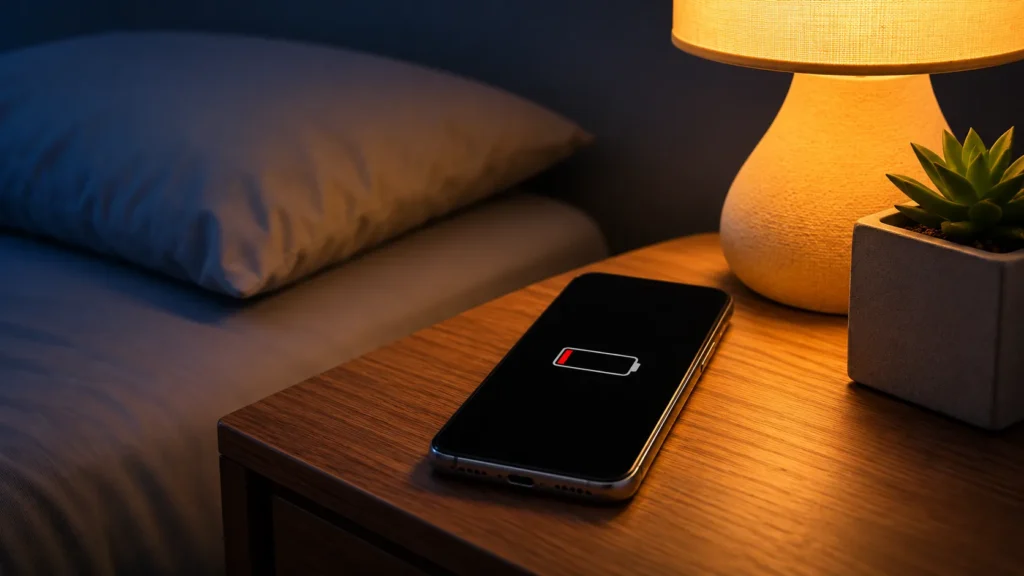
Have you ever charged your smartphone to 100% before going to bed, only to discover that it has dropped to 80% or even lower by the time you wake up? It can be frustrating, especially when you haven’t used your phone at all during the night.
Many people assume that their battery is getting old or that they need a replacement. However, that’s not always the case.
Even when your phone’s screen is off, several processes can continue running in the background. Apps may synchronise data, notifications can wake the device, and a weak mobile network signal can increase power consumption.
So, why does your phone battery drain overnight without using it? Let’s explore the most common reasons and the practical ways to fix them.
Why Does Your Phone Battery Drains Overnight?
Your phone doesn’t completely stop working when you lock its screen. It continues performing essential tasks, including maintaining network connections, checking notifications and synchronising information.
Here are six common reasons behind overnight battery drain.
1. Background Apps Consume Battery Power
Some applications continue performing activities even when you’re not actively using them.
For example, social media apps may refresh content, messaging apps may check for new messages, and cloud storage applications may upload photos or synchronise files.
Imagine going to sleep after taking several pictures. Your photo backup application might continue uploading those images while your phone is idle.
How to fix it:
- Check battery usage in your phone’s settings.
- Restrict unnecessary background activity.
- Uninstall applications that consistently consume excessive power.
- Enable Adaptive Battery or relevant battery optimisation features.
Google recommends restricting applications with high battery usage and keeping battery optimisation enabled.
2. Weak Mobile Network Signal
A weak cellular signal is another possible reason for overnight battery drain.
When your phone receives poor network coverage, it may work harder to maintain a connection or search for a better signal.
This can happen when your bedroom is far from a mobile tower, inside a building with thick walls, or in an area with unstable network coverage.
How to fix it:
- Keep your phone where it receives a stronger signal.
- Use a stable Wi-Fi connection when available.
- Consider Airplane Mode if you don’t need mobile connectivity during the night.
Samsung also identifies weak network signals as a possible cause of increased battery consumption.
Read Also: Why 5G Drains Battery Faster: Myth or Fact? (2026 Truth)
3. Automatic Syncing and Notifications
Your smartphone regularly communicates with different applications and online services.
Email synchronisation, cloud backups, messaging notifications and automatic app updates can contribute to battery consumption.
For example, if your phone receives dozens of notifications throughout the night, some applications may repeatedly wake the device to check for new information.
How to fix it:
- Disable unnecessary automatic backups.
- Reduce notifications from non-essential applications.
- Review email synchronisation settings.
- Schedule large cloud backups when convenient, preferably while charging.
You don’t need to disable all notifications. Focus on applications that consume unusually high amounts of power.
4. Location Services and GPS
Location services allow applications to access your phone’s geographical location.
Navigation, fitness, weather and location-sharing applications may use location services in the background, depending on their permissions and settings.
For instance, a location-sharing application that regularly updates your position may consume additional battery power while you’re sleeping.
How to fix it:
Open your location settings and review which applications have permission to access your location.
Where appropriate, change unnecessary permissions to “Allow only while using the app” or disable background location access.
5. Software Updates and System Processes
Sometimes, overnight battery drain begins after a software update.
Your smartphone may continue downloading, installing, indexing or optimising software and applications after an update.
This additional background activity can temporarily increase battery consumption.
Google confirms that Pixel phones can experience slightly higher battery consumption after software updates while the device downloads and optimises the new software.
How to fix it:
- Restart your smartphone.
- Install pending system and app updates.
- Allow some time for post-update optimisation to finish.
- Check whether battery consumption returns to normal after a few days.
6. High Temperature and Ageing Battery
Temperature and battery condition also matter.
A smartphone exposed to excessive heat may consume battery power more quickly, even when it isn’t actively being used.
Google specifically warns that heat can increase battery drain when a phone is idle.
Additionally, lithium-ion batteries gradually lose their original capacity through repeated charging and discharging.
An older battery may therefore show a bigger percentage drop during standby than it did when the phone was new.
How to fix it:
- Keep your smartphone in a cool, ventilated place.
- Avoid leaving it under a pillow or in direct sunlight.
- Check your battery health or run the manufacturer’s diagnostic tool.
- Consider an authorised battery replacement when diagnostics indicate significant degradation.
How to Check What Is Draining Your Phone Battery
Before changing multiple settings, identify which application or system process is consuming the most power.
For Android users
- Open Settings.
- Select Battery.
- Tap Battery Usage.
- Review the applications and system processes using the battery.
- Check whether any application has unusually high background activity.
The exact menu names may vary between Samsung, OnePlus, Xiaomi, Motorola and other Android phones.
For iPhone users
- Open Settings.
- Tap Battery.
- Review the battery usage graph.
- Check the applications consuming the most power.
- Look for Background Activity and low cellular coverage indicators.
Apple provides battery usage details to help identify applications and system activities affecting battery performance.
How to Stop Your Phone Battery from Draining Overnight
Try these practical steps:
- Restrict unused apps: Prevent rarely used applications from running unnecessarily in the background.
- Use a stable connection: A reliable Wi-Fi connection can help avoid excessive cellular network activity.
- Manage location permissions: Allow location access only when applications genuinely need it.
- Restart your phone: This can help resolve temporary software problems.
- Check battery health: Run your manufacturer’s battery diagnostics.
- Keep your phone cool: Avoid excessive heat while charging or keeping the device idle.
You don’t need to turn off every feature on your smartphone. Identify the actual cause and change only the settings that are responsible.
When Should You Worry About Overnight Battery Drain?
Occasional overnight battery loss is not necessarily a sign of a faulty battery.
However, investigate further when:
- Your phone repeatedly loses a large percentage of charge while idle.
- The battery drops suddenly from one percentage level to another.
- Your phone becomes unusually hot without an obvious reason.
- The device shuts down unexpectedly despite showing remaining battery.
- Battery performance has deteriorated significantly.
Google provides a specific overnight test for Pixel phones: charge the device to 100%, close open apps, disconnect it from power and leave it idle overnight. Google considers a drop of less than 10% within its expected range for this test; a drop exceeding 10% should prompt further investigation. This is Pixel-specific guidance, not a universal standard for all smartphones. Google Pixel Support
Frequently Asked Questions (FAQs)
1. How much battery should a phone lose overnight?
There is no universal figure because battery consumption depends on the phone model, battery age, network conditions and background activity. For Pixel phones, Google uses a less-than-10% overnight drop as a diagnostic benchmark under its prescribed test.
2. Why does my phone lose battery overnight even when switched off?
A fully powered-off smartphone should generally use very little battery. If the percentage changes, possible explanations include battery self-discharge, an inaccurate battery reading or a battery-related issue. Try checking the battery again after restarting and monitoring it.
3. Does Airplane Mode stop overnight battery drain?
Airplane Mode disables cellular connectivity and can reduce power consumption, particularly in areas with poor network coverage. However, it does not stop every background process or eliminate battery consumption.
4. Should I close all apps before sleeping?
You don’t need to force-close every application regularly. Instead, identify apps with unusually high background battery usage and restrict those that don’t need to run overnight.
5. Can an old battery cause overnight battery drain?
Yes. An ageing battery has reduced capacity, meaning it stores less energy than it did when new. This can make standby battery loss more noticeable and reduce overall runtime.
6. Does Wi-Fi drain battery overnight?
Wi-Fi uses some battery power, but it can be more efficient than mobile data in certain conditions, especially when cellular coverage is weak. The effect depends on signal quality, device settings and usage.
Conclusion
Your phone battery doesn’t necessarily have a problem just because it loses charge overnight. Background applications, weak network signals, automatic synchronisation, location services, software updates, heat and battery ageing can all contribute to the issue.
The best solution is to check your battery usage before changing settings or purchasing a replacement battery.
Start by identifying applications with unusual background activity, check your network coverage and review your phone’s battery health. A few targeted adjustments can help reduce unnecessary overnight battery consumption and improve your smartphone’s everyday battery life.